
Plugin Settings
When part of your plugin should be configurable, an API key, a discount rate, a base URL, you don’t hard-code it. You declare settings, and the Cat renders them as a form in the admin so anyone can change them without touching code.
Settings live on a service, that is, anything you subclass in a plugin: an Agent, a Directive, an Auth handler, a model provider. You declare a nested class Settings(BaseModel) and read the current values with await self.load_settings(). That is the whole model.
Declaring settings
Section titled “Declaring settings”Add a nested Settings pydantic model to your service. Each field becomes a form control, its default becomes the pre-filled value:
from pydantic import BaseModel, Fieldfrom cat import Agent, tool

class SockSeller(Agent):    slug = "sock_seller"    name = "Sock Seller"    description = "Sells socks and knows their prices."
    system_prompt = "You sell socks. Use your tools to answer questions about price."
    class Settings(BaseModel):        discount: float = Field(0.0, title="Discount", description="Fraction off, e.g. 0.2 for 20%.")        currency: str = Field("EUR", title="Currency")
Give every field a default: the form pre-fills it, and your code always has a value to read even before anyone opens the panel.
Reading settings in your code
Section titled “Reading settings in your code”Call await self.load_settings() from anywhere on the service, a tool, a directive method, wherever. You get a typed instance of your Settings model back, read fresh every call (no cache), so it always reflects the latest save:
    @tool    async def price(self, color: str) -> str:        """Price of a pair of socks. Input is the sock color."""        prices = {"black": 5, "white": 8, "pink": 12}        if color not in prices:            return f"No {color} socks"
        s = await self.load_settings()        final = prices[color] * (1 - s.discount)        return f"{final:.2f} {s.currency}"
Editing settings in the admin
Section titled “Editing settings in the admin”Open the Plugins tab in the admin and click the cog next to your plugin:
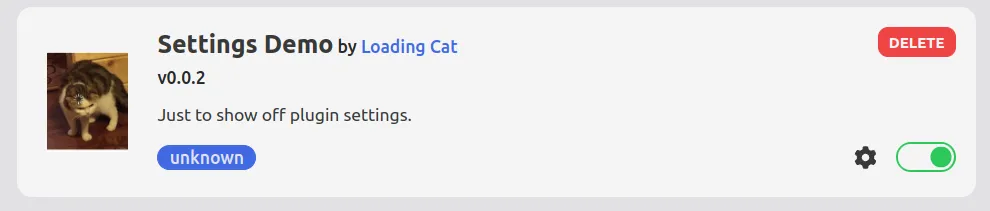
A side panel opens with the form built from your Settings model. When the user saves, the Cat validates the input against the model, persists it, and refreshes the service so the next call to load_settings() returns the new values.
Field types and richer forms
Section titled “Field types and richer forms”Because it is a plain pydantic model, every pydantic type works and maps to the right control. Use Field(title=..., description=...) for friendly labels, and an Enum for a dropdown:
from enum import Enumfrom datetime import datefrom pydantic import BaseModel, Field

class Size(str, Enum):    small = "small"    medium = "medium"    large = "large"

class Settings(BaseModel):    # required (no default) — the form marks it mandatory    api_key: str = Field(title="API Key")
    # optional, with defaults    max_items: int = 42    enabled: bool = True    launch_date: date = date(2025, 1, 1)
    # dropdown, from an Enum    size: Size = Size.medium
Where settings are stored
Section titled “Where settings are stored”Settings persist in the Cat’s database, under a key unique to each service, so two services never clash and there is no settings.json file to manage. A backup of the project folder carries them along.
To save settings from code (rather than through the admin form), call await self.save_settings(payload) with a dict or a Settings instance; it validates and persists just like the form does.
Dynamic settings (advanced)
Section titled “Dynamic settings (advanced)”Sometimes the choices aren’t known until runtime, a dropdown of installed models, say. Override the settings_schema() classmethod to build the presented schema dynamically. It must be backed by a static Settings model, which stays the storage shape values round-trip through; settings_schema() only controls how the form is presented.